
What it does
If you already have a resume (even an older one), you shouldn’t have to start over. Resume Import is the fastest way to get your information into ProRes so you can improve, tailor, and validate what you already have.
What Resume Import does
- Uploads your existing resume and extracts key sections like experience, education, and skills.
- Turns static resume text into editable building blocks you can reuse for different job targets.
- Reduces retyping and copy/paste errors (dates, titles, company names, and bullet consistency).
- Sets you up for faster improvements: once imported, it’s easier to rewrite weak bullets, tailor language, and run an ATS-focused review.
Why this matters (beyond saving time)
Job search success is often about iteration speed. If each new application requires an hour of manual edits, you’ll tailor less (or not at all). Import helps you create a clean foundation so you can quickly tailor the parts that actually move outcomes: summary, skills, and the most relevant bullets.
Think of Resume Import as the on-ramp: you bring your existing resume, ProRes helps you turn it into a reusable foundation.
How it works
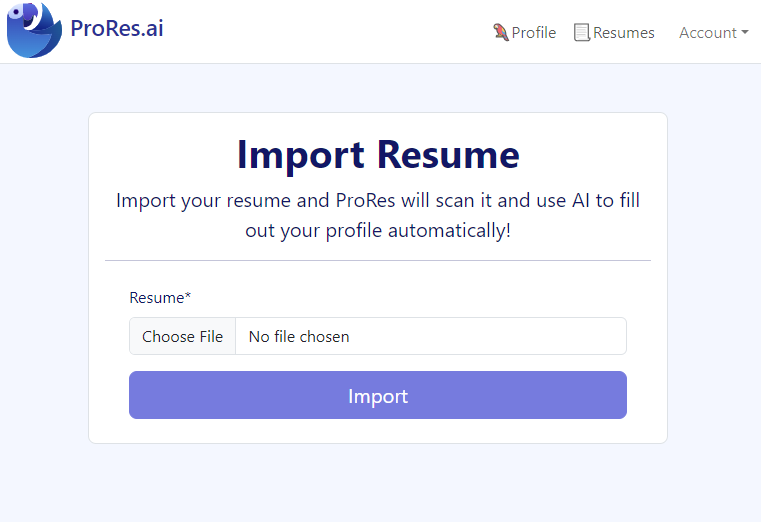
- Upload your resume (PDF or supported format) to start the import process.
- Review extracted sections to confirm job titles, dates, and bullet points were captured correctly.
- Clean up content: fix any formatting quirks, add missing details, and strengthen weak bullets.
- Use ProRes tools to refine (Profile Builder for structured data, Resume Editor for formatting, AI builder for targeted drafts).
- Run a resume review to catch ATS issues and keyword gaps before you apply.
If your resume has heavy design
Import is usually fastest when your original resume is simple and text-based. If your resume uses complex design (tables, columns, icons, text boxes), treat import as “content extraction.” You’ll typically want to reformat into a clean structure afterwards (which also tends to be better for ATS).
Who it’s for
- People with an existing resume who want to improve it instead of rewriting from scratch.
- Job seekers returning to the market who want to modernize an older resume quickly.
- Applicants applying broadly who need a reusable base for multiple tailored versions.
- Anyone moving off a template and into a cleaner, more ATS-friendly format.
If you’re spending more time fighting formatting than improving content quality, import + structured editing is often the fastest path forward.
Examples & screenshots
Tips & best practices
- Use a clean source resume: if possible, import a version with minimal columns/tables.
- Verify dates and job titles after import—small errors can create big credibility issues.
- Rewrite weak bullets into impact statements (what you did + how you did it + outcome).
- Normalize section headings (Experience, Education, Skills) for easier ATS parsing later.
- Keep a “master” version of your imported content so tailoring doesn’t overwrite your base history.
- Tailor with intention: remove irrelevant bullets and expand the most relevant ones for each role.
- Finish with a resume review to ensure the final output stays ATS-readable.
- Don’t import multiple versions at once unless you need them; consolidate into one clean baseline first.
- Keep the raw original so you can double-check exact wording for compliance-heavy roles if needed.
ProRes differentiator
ProRes is built for workflows where you already have a resume: import it, convert it into reusable sections, improve the high-impact areas, and then validate ATS readability and keyword alignment with a resume review.
FAQ
Resume import takes the resume you already have and converts it into editable sections you can reuse. It matters because it saves time and prevents errors from retyping your career history—so you can spend your effort improving content quality and relevance.
Import is best at capturing content (roles, dates, bullets, skills). Exact visual formatting can vary depending on the original file layout. After import, use the Resume Editor to clean up spacing, section order, and final export.
Add it manually after import, then treat the updated version as your new baseline. Most gaps are easy to fix (missing bullets, misread dates) and can be prevented by importing a simpler source file.
Yes—often more helpful. Import gives you a starting point, then you can modernize content (skills, tools, outcomes), remove outdated sections, and tailor toward your current target role.
Both can help. If you’re applying soon, run a resume review first to see the biggest issues. After import and edits, run it again to confirm the final version is ATS-readable and keyword-aligned.
Import your resume → clean up titles/dates → strengthen top bullets → tailor skills for the target role → export a clean PDF → run a final resume review. That sequence minimizes rework.
Only upload what you’re comfortable sharing. As a practical best practice, avoid adding unnecessary sensitive identifiers (full address, personal IDs). If you’re applying to regulated roles, keep a version that includes only the information employers typically expect.
Import your resume, then validate it
Once your content is imported and cleaned up, run a free resume review to identify ATS risks and keyword gaps before you submit applications.