
What it does
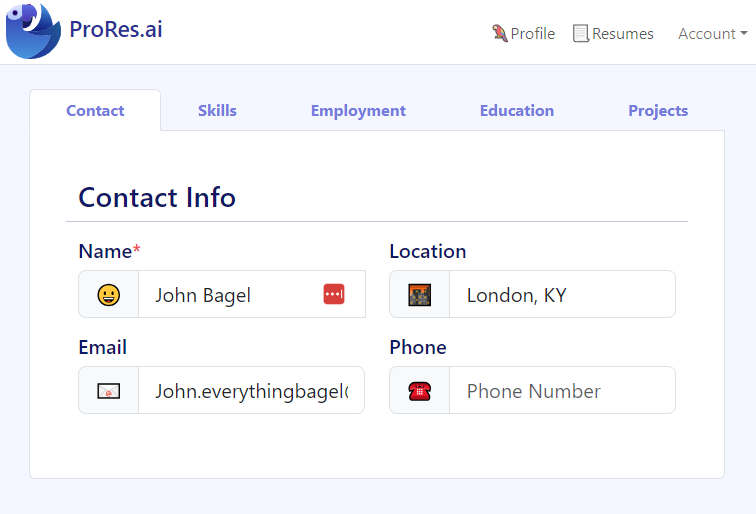
Most resume tools treat every resume as a brand-new document. ProRes works differently: the Profile Builder helps you create a reusable foundation—often called a master resume—that you can tailor into multiple job-specific versions.
What you store in a ProRes profile
- Experience: roles, dates, employers, and high-signal achievements.
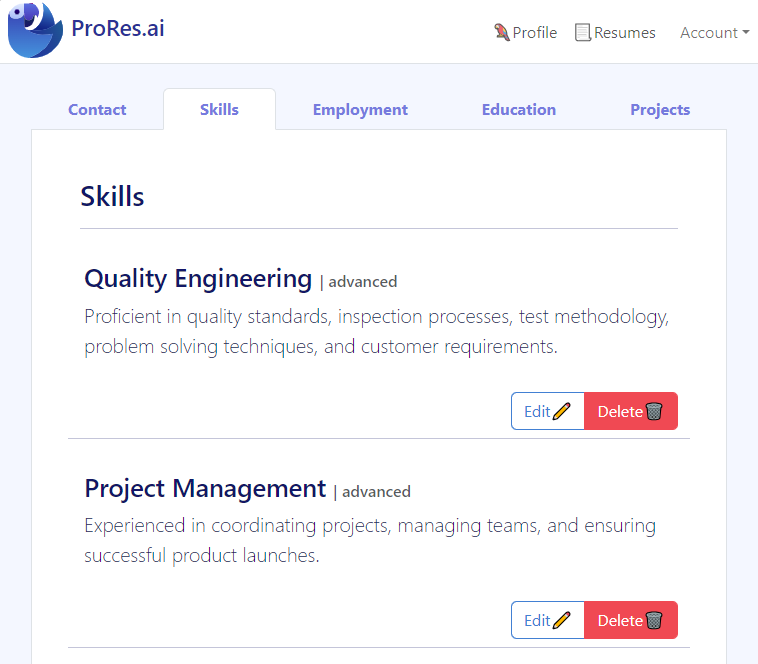
- Skills inventory: tools and capabilities you want to reuse consistently across resumes.
- Education + certifications: structured, easy to include or omit depending on the role.
- Optional “extra” bullets: additional projects and achievements you may not include in every version.
Why a profile improves outcomes
- Tailoring becomes faster: you select the most relevant bullets instead of rewriting every time.
- Consistency improves: fewer mistakes across versions (dates, titles, tools).
- Better targeting: it’s easier to reposition the same experience for different job families.
- Powers other features: AI resume building, editing, and ATS checking work better with clean structured inputs.
If you’re applying to more than one role (or you update your resume often), a structured profile saves time and reduces errors while making it easier to build truly targeted versions.
How it works
- Add your career basics: roles, dates, employers, and key responsibilities.
- Capture achievements that show impact (metrics, outcomes, scope).
- Build a skills inventory that reflects your real tools and strengths.
- Generate targeted resumes using the AI builder or create tailored versions manually.
- Validate your final resume with a resume review before applying.
Two fast ways to get started
- If you already have a resume: start with Resume Import, then correct/expand details inside Profile Builder.
- If you’re starting from scratch: add your last 1–2 roles first, then build out achievements and skills.
The goal isn’t to make the profile perfect on day one. It’s to create a strong baseline you can reuse and improve over time.
Who it’s for
- People applying to multiple roles who need several targeted resume versions.
- Professionals with complex backgrounds (multiple employers, projects, skills) who want a clean system of record.
- Career changers who need to reposition the same experience for a new target role.
- Anyone tired of retyping the same history across different resume tools and templates.
If your career story is bigger than what fits on one resume, a profile lets you store everything and publish only what’s relevant for each application.
Examples & screenshots
Tips & best practices
- Store more than you publish: keep extra bullets in your profile, then select the best ones per role.
- Write “achievement bullets”: action + tools + outcome (with numbers where possible).
- Keep skill names consistent (e.g., “SQL” vs “Structured Query Language”) so versions stay aligned.
- Separate responsibilities from impact: responsibilities explain the role; impact proves effectiveness.
- Update the profile first when something changes (new job, new skill), then regenerate versions.
- Tailor by selection and order: prioritize the most relevant skills/achievements near the top.
- Validate final output with a resume review to catch ATS/keyword gaps after tailoring.
- Build a “skills spine”: keep a core set of skills you want to be known for, then add role-specific skills per version.
- Keep raw details: store project names, tools, and metrics in the profile so you can reuse them quickly.
ProRes differentiator
ProRes treats your profile as the system of record that powers your resume workflow. That makes it easier to generate multiple targeted versions without losing consistency—and to validate the final output with a resume review.
FAQ
A resume profile builder is a tool that stores your career information in a structured way (experience, skills, education) so you can reuse it to create different resume versions. It’s like maintaining a master resume that powers tailored outputs.
A profile is your full library of experience and achievements. A resume is a curated, role-specific selection of that profile—often shorter and focused on what matters most for a target job.
Not strictly, but it helps. If you tailor frequently, a profile prevents repetitive editing and reduces errors. You can import your current resume as a starting point, then expand and organize it in the profile.
Include additional projects, older roles, and extra achievements that you might only use for certain job targets. The profile is where you store options; your resume is where you make the final cut.
A structured profile makes it easier to produce consistent, ATS-readable resumes with standard headings and relevant skills. After generating or editing a resume from your profile, run a resume review to confirm keyword alignment and parsing safety.
If you already have a resume, start with Resume Import to extract content, then use Profile Builder to review, correct, and expand the details. If you’re starting from scratch, add roles and 3–5 achievements per role first, then skills.
A practical approach is 2–4 versions: one strong base version and a few targeted variants for different job families (for example: “Generalist”, “Leadership”, “Technical”, or industry-specific). The profile stays the same; each resume version simply selects and prioritizes different content.
Build your foundation, then run a resume review
A strong profile makes tailoring faster. When you’ve generated or edited your resume, validate it with a free resume review to catch ATS risks and keyword gaps before you apply.