
What it does
An AI resume builder is most useful when you need speed and relevance: you want a resume that matches a role’s expectations without spending hours rewriting every bullet. ProRes helps you turn your experience into a role-aligned narrative that’s easy to scan, easy to tailor, and grounded in your real background.
What you can do with an AI resume builder
- Generate role-targeted bullets based on your experience (not generic templates).
- Rewrite weak bullets into impact-oriented statements (action → scope → outcome).
- Create a targeted summary that positions you for the job you want.
- Produce multiple versions for different job targets without starting from scratch.
- Align to ATS search language while keeping the resume readable to humans.
Common problems this solves
- “My resume is accurate but not compelling”: bullets list tasks instead of outcomes.
- “I’m switching roles”: your experience needs new framing and role-language.
- “I’m applying a lot”: you need repeatable tailoring, not one perfect document.
- “I don’t know what to include”: you need structure and prioritization.
The goal isn’t to sound “AI-written.” The goal is to get to a strong first draft quickly, then refine with your specifics (tools, metrics, scope) so it reads like a high-signal professional resume.
How it works
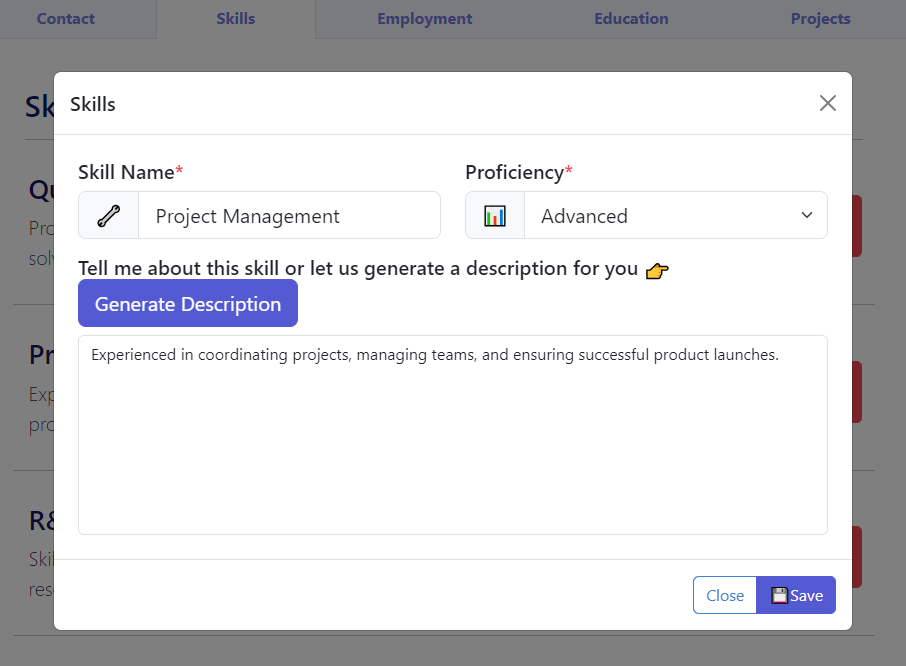
- Start with your base content (build a profile or import an existing resume) so the AI has accurate inputs.
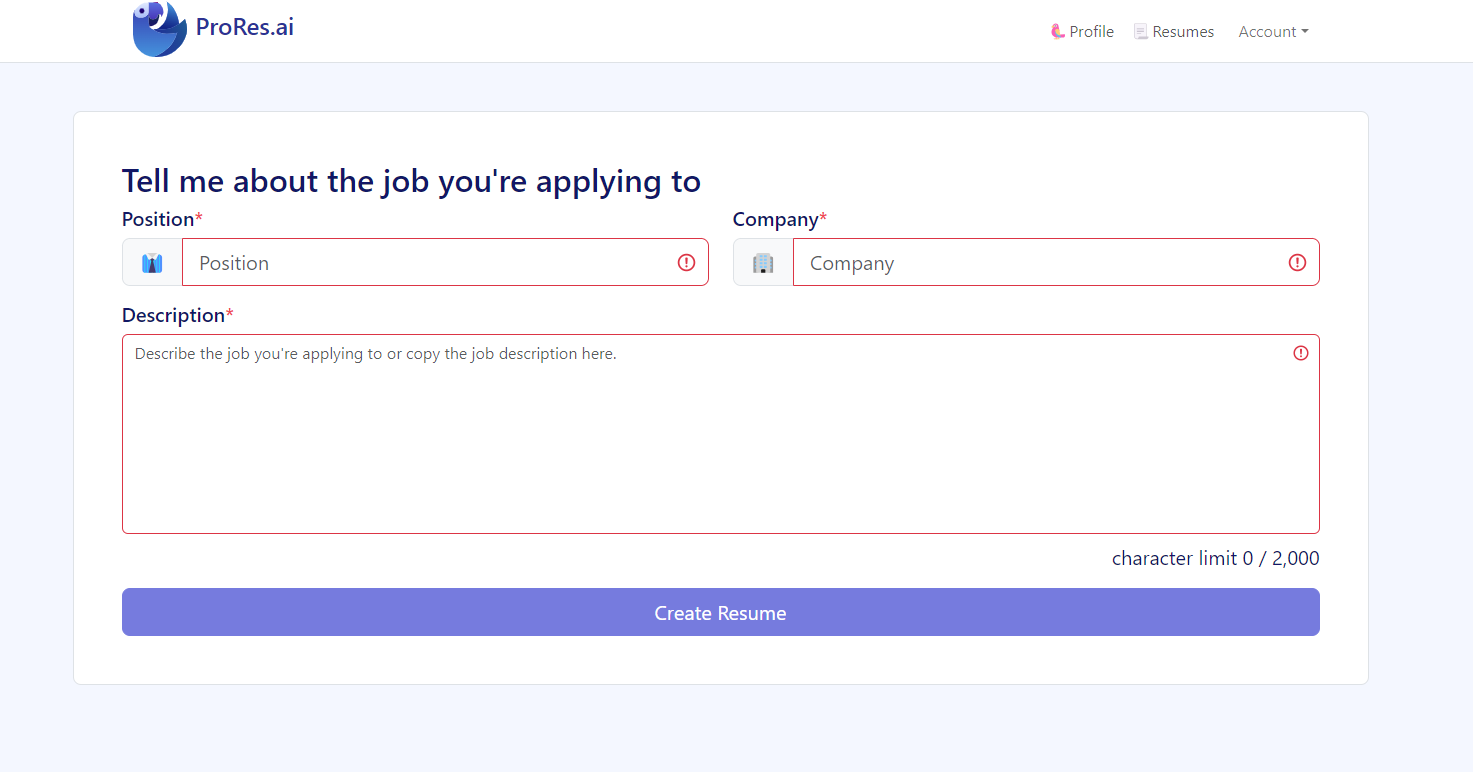
- Pick a target: job title, industry, or a specific job posting.
- Generate a draft and review it for accuracy, tone, and relevance.
- Edit for specificity: add tools, numbers, scale, and context that only you can provide.
- Validate with a resume review to catch ATS and keyword gaps before you submit.
A practical “tailoring” workflow (repeatable)
- Highlight requirements from the job post (5–10 skills/tools + 3–5 responsibilities).
- Map your evidence: for each requirement, identify where you can prove it (project, bullet, metric).
- Tailor summary + skills first, then adjust the top 2–3 bullets per role.
- Trim irrelevant content so signal stays high and the resume remains scannable.
- Run a resume review and fix what’s flagged (keywords + ATS readability).
ProRes works best when you treat AI as an accelerator: it helps you write faster, but you stay in control of truthfulness, nuance, and final quality.
Who it’s for
- Busy job seekers who need to get from “blank page” to a solid draft quickly.
- Applicants tailoring for multiple roles (e.g., Product vs. Project roles) who need distinct versions.
- People who struggle with resume wording and want help turning responsibilities into achievements.
- Career changers who need role-language and structure without misrepresenting experience.
If you can describe what you did but struggle to write it persuasively, an AI builder helps you get unstuck and iterate faster.
Examples & screenshots
Tips & best practices
- Feed the AI good inputs: your best bullets, tools used, scope, and outcomes. Better input equals better output.
- Keep bullets achievement-based (action + impact), not task lists.
- Add numbers wherever possible (revenue, time saved, volume, performance, scale).
- Use the job description as a checklist for skills and responsibilities you can honestly support.
- Watch for vagueness: replace “worked on” with what you delivered and why it mattered.
- Don’t overfit to one posting if you’re applying broadly—create a strong base version and then tailor.
- Run a final resume review to ensure ATS compatibility and keyword alignment before sending.
- Keep your voice: use AI to draft, then edit so it sounds like you (especially summary and leadership bullets).
- Proof beats claims: if you mention a skill, support it with a bullet that shows how you used it.
ProRes differentiator
ProRes combines structured inputs (profile/import) with editing and validation. That means you can draft quickly, then verify ATS readability and keyword alignment instead of hoping the final output “just works.”
FAQ
An AI resume builder helps you create or rewrite resume content—especially bullets and summaries—so it matches a target role. An ATS resume checker helps you validate the finished resume by finding parsing risks, keyword gaps, and formatting issues. They work best together: build → edit → check.
It can if you accept the first draft as-is. The fastest path to a strong resume is to generate a draft, then add your specifics (tools, scope, metrics, and context). Generic resumes usually happen when bullets don’t include evidence (numbers, outcomes, constraints, and technical details).
Provide your real job titles, dates, key tools/technologies, and 3–5 meaningful accomplishments per role. If you can add numbers (time saved, growth, volume, performance), the output becomes more credible and persuasive.
Yes—create a strong base version first, then produce targeted variants. For example, a “Data Analyst” version might emphasize SQL and dashboards, while a “Business Analyst” version might emphasize stakeholder work and requirements. ProRes is designed for fast iteration.
ProRes is built with ATS readability in mind, but ATS results depend on your final formatting and the file type you submit. Always run a final check using the resume review tool and keep layouts simple (standard headings, clean structure).
Chat tools can work, but they often require manual prompting, repeated context, and lots of formatting cleanup. ProRes is built around a resume workflow: structured inputs, easier iteration, and a clear path from draft → edit → validate.
Yes. Start with a base version that accurately reflects your strongest skills and experience. As you narrow targets, create tailored versions that emphasize different strengths (e.g., leadership vs. analytics). A resume review can also reveal which keywords you’re missing for a target role.
Build fast, then validate before you apply
Use ProRes to draft and refine your resume, then run a free resume review to catch ATS issues and keyword gaps. Small fixes can make a big difference in searchability.